
How to Build an AR App-A Begineers Guide

Ever wondered how the Pokémon Go app has made gaming so interactive by showing Pokémon in your physical surroundings? Well, Augmented Reality (AR) is behind this amazing blend that shows Pokémon in the real world. With such interactive gaming applications, AR apps are becoming increasingly popular, giving software and game developers a reason to learn AR development.
If you are also up to learning AR app development but do not know how to get started, then this guide is for you. In this guide on how to build an AR app, you will see a step by step procedure to build, test, and publish an AR app.
What is Augmented Reality?
Augmented Reality is a type of technology that allows digital images to be displayed in real world environments. It allows users to place computer-generated elements like 3D objects, animations in their physical surroundings, and they can interact with them through smartphones, tablets, or AR glasses. With the AR app, you can turn your ideas into an interactive, real-world experience. AR apps enhance the user experience and engagement, and that is one of the major reasons why AR apps have become so popular nowadays.
Prerequisites for AR App Development
Before starting with AR app development, it’s important that you have a good knowledge and understanding of the following tools and technologies:
- Programming Languages
Java, Kotlin, C#, Swift, Objective C, Python, C++, HTML, CSS, JavaScript, TypeScript.
- Development Tool
ARCore, ARKit, Unity, Vofuria, Unreal Engine, MAXST, Android Studio
Along with languages and development tools make sure that your computer meets the necessary hardware requirements that are needed to install and run the development tools. Also, you have an AR compatible smartphone so that you can test your app.

How to Build an AR App: Step-by-Step Guide
Here is the step by step guide for you on how to build an AR app:
Step 1: Define the Idea and Purpose of Your AR App
The first step in how to build an AR app is to clearly define the idea and purpose of your app.
You have to define the following things in this step:
- What kind of AR app will it be?
- What features will your AR app have?
- What is the purpose of your AR app ?
- Why should users use it?
- What value does your AR app add to the augmented reality world?
Step 2: Choose the AR App Development Platform
The second step in how to build an AR app is to decide on which platform your app will run.
Some of the main platforms that support AR apps are:
- Android
- iOS
- Windows
- Web browsers
Once you have decided on a platform, the next thing is to choose the development platform to build your app based on the idea and purpose defined in the previous step.
Some of the major AR app development platforms are:
- For Android: ARCore by Google, EasyAR.
- For iOS: ARKit by Apple, Reality Kit.
- For Cross-Platform: Unity, Vuforia, Unreal Engine, MAXST.
- For Windows: Microsoft Mixed Reality Toolkit, Vuforia, Unreal Engine.
- For Web Browsers:8th Wall, ZapWorks, WebXR API, A-Frame.
- For Gaming Apps:Unity 3D, Unreal Engine, Vuforia, Niantic Lightship ARDK.
- For Location-Based AR Apps:ARCore Geospatial API, Mapbox + Unity SDK, WRLD 3D, Niantic Lightship ARDK.
Step 3: Set up the Development Environment
After you have selected your development platform now you have to set up your development environment so that you can start building your app. This step is all about installing the SDK , importing the necessary packages, and configuring the settings that are needed to build an AR app.
- If you want to build an app for Android, then you can use Android Studio with the ARCore SDK.
- For iOS, you can use XCode with ARKit.
- For cross-platform development, you can use Unity with the AR Foundation.
Be sure that you have installed all necessary packages to ensure a smooth development process.
Step 4 : Create the AR Scene
After setting the development environment, now comes the actual part of building the app. In this step, coding starts. You need to write the necessary code to build your app. You can start by first creating a scene, place the object, and test it. If it works fine, then proceed ahead with the app development process.
To create the AR scene:
- Add an AR camera to your project.
- Enable plane detection so that the app can recognize surfaces in the real world.
- Then place virtual 3D objects on these surfaces so that the user can view and interact with them.
You can control how these 3D objects appear, move, or interact with the surface through coding. You can write a short script code that lets the users perform different actions with the object, i.e, move ,rotate, flip, etc.
This step brings your app to life through creative and programming logic.
Step 5: Test your App on a Real Device
The next step in how to build an AR app is to test your app so that you can identify the problems (if any) and rectify them before making your app live to the users.
Test your app on an AR-supported device. Testing helps you find how your app performs in real conditions and gives you an idea of the user experience. Test for the object placement, tracking instability ,light sensitivity, or any lag in object placement. Use the debugging tools within your development environment to identify and fix issues, and test your app on multiple AR supported devices to ensure compatibility.
Step 6: Publish your App
Once you have tested your app completely and its working fine, then you can publish it. Prepare your app store listing, description, screenshots, and demo videos according to the requirement of the specific platform on which you will be publishing your app. Follow the platform’s rules like adding a privacy policy, permissions, and all the related info that users need to know to use your app. Once done with these things, publish your app, and when it will be approved, it will be available for the user to download and use.
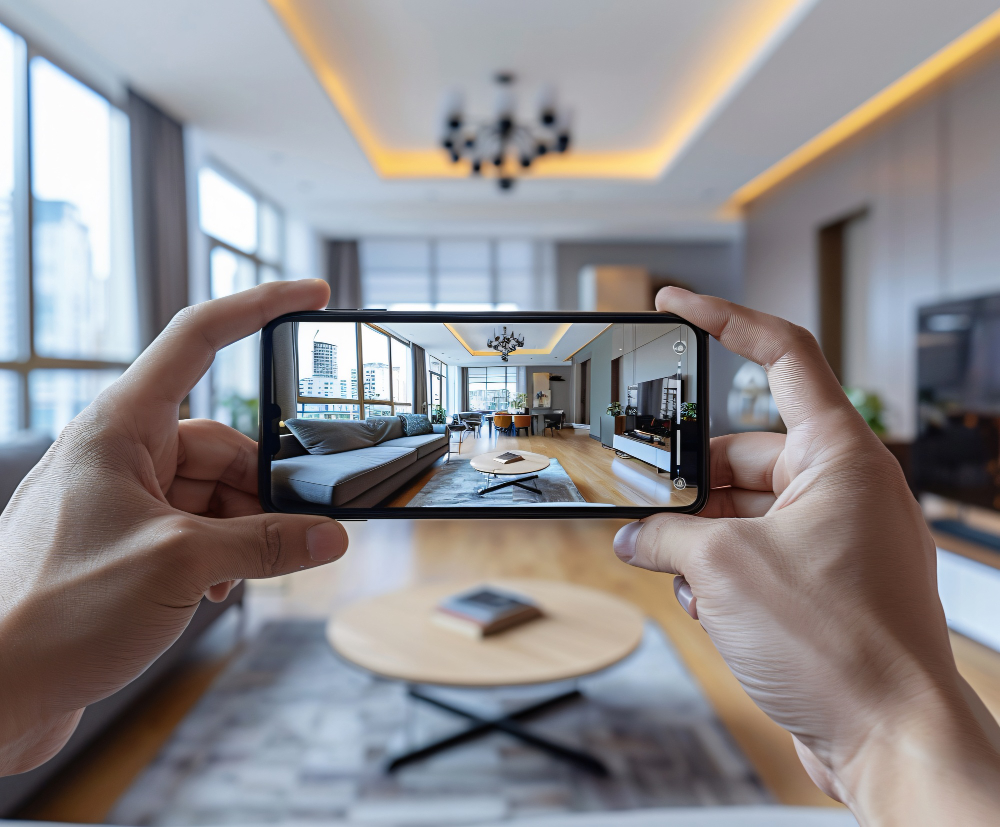
If you are new to AR app development and want to learn it from the beginning, the programming languages and the tools used for AR development then you can get help through online resources. Udemy, Coursera, and edX are some of the major platforms which offer courses related to AR development. For learning the required programming language and how to use the development tools, you can check YouTube tutorials. Along with this, you can also join online groups and communities on Stack Overflow, Unity Learn, and Reddit to explore AR projects and find support to troubleshoot your problems.
Augmented Reality is no longer a trend; it’s opening the doors to one of the most innovative aspects of the technology. From interactive gaming apps to shopping apps, all are attracting customers, which in turn is making AR apps stand out in the market. Learning how to build an AR app is an exciting journey that combines creativity and real-world innovation. By following the above steps, you can bring your AR vision to life. Start by building the small projects and then explore the advanced projects. With the passage of time, you will master it.
So what are you waiting for, start building your first AR app to step into the innovative digital world!
Read Also: How to Get Started with Web3 App Development in 2025